.webp)
5 min readMINUTES
3D Product Animation for Tech Brands: When It Helps and How It's Made

The short answer
3D product animation is worth it when your product is physical, hidden inside something else, not built yet, or too abstract to film. For hardware and deep-tech brands it shows what a camera cannot: the inside of a device, an exploded view of its parts, or a system working at a scale you could never shoot. For software with a clear interface, UI animation usually explains more for less. Decide which shots you need first, then plan the process around them.
When 3D product animation helps
- The product is hardware. Devices, components and vehicles can be shown from any angle, in perfect light, without a studio shoot.
- The important part is hidden. Controllers, sensors and chips sit inside casings. 3D can cut away the shell and show what is inside.
- The product is not manufactured yet. If you have CAD files but no finished units, 3D lets you launch the visuals before the factory does.
- The idea is abstract. Infrastructure, data flows and AI systems have no physical form. A 3D metaphor can make them easier to picture.
- You need one look across every channel. Once the model exists, the same asset can feed the launch film, the website, social posts and sales decks.
When it doesn't
If your product is software with a clear interface, start with UI-led animation. Buyers want to see the screens they will use. 3D is also a poor fit when the design is still changing every week, because every change means remodelling and re-rendering. Many teams mix the two: a 3D opening that sets the tone, then the real UI.
Types of 3D shots for tech products
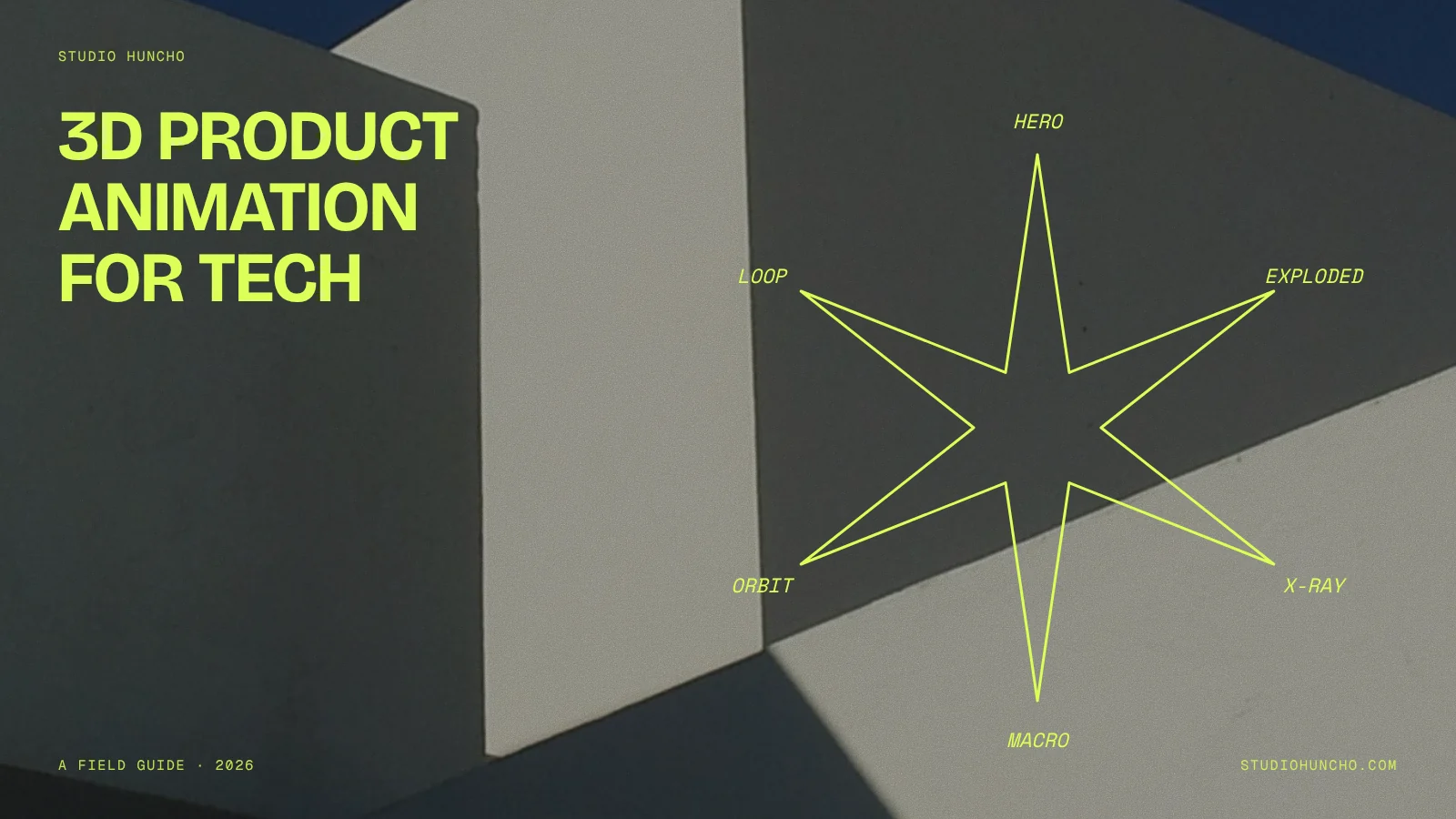
Hero turntable
The product rotates slowly against a clean background. Simple, reusable and good for product pages and social loops.
Exploded view
The parts separate and float apart to show how the product is built. Ideal for hardware with a clever inside.
Cutaway or x-ray
The outer shell turns transparent or slices open to reveal internal components. Good for showing where your part sits inside a larger system, such as a controller inside a vehicle.
Assembly sequence
Parts fly in and lock together. Useful for modular products and for explaining installation.
Macro and material close-ups
Tight shots of textures, ports, finishes and light catching an edge. These give a launch film its premium feel.
Product in context
The product placed in a realistic environment: a server rack, a factory floor, a vehicle on a road. It answers "where does this live?"
Abstract system visualisation
For software and AI, data and processes shown as 3D forms. Keep it tied to a real outcome, or it becomes decoration.
Product rendering tools are built around these shots. KeyShot, for example, lists turntables, exploded views and camera flythroughs as animation outputs alongside its still renders.
How 3D product animation is made
- Brief and script. What the film is for, where it will run and the three or four moments it must show.
- Collect references and CAD. Engineering CAD is a great starting point, but it is built for manufacturing, so it usually needs cleaning up before it looks good on screen.
- Modelling. Rebuild or simplify the geometry, add missing details and prepare parts that will move separately.
- Look development. Materials, colours, lighting and camera style. This is where the product starts to look like your brand.
- Style frames. A few finished stills that show the final look. Approve these before any animation.
- Animatic. A rough, low-detail version of the whole film to lock timing and camera moves.
- Animation and rendering. The final motion, rendered at full quality. Rendering is the slowest stage, which is why late changes are costly.
- Compositing, sound and cut-downs. Text, UI overlays, music, sound design and every format you need.
Common tools include Blender, which is free and open source, Cinema 4D, which Maxon positions as a foundation for motion graphics, and KeyShot for CAD-based product visualisation. The tool matters less than the studio's eye for light, materials and pacing.
Timelines
A 3D film takes longer than a 2D or UI-led film of the same length, because modelling, look development and rendering come before and after the animation itself. Launch films we make usually take 2 to 4 weeks; plan towards the longer end when 3D is involved, and add time if CAD is missing or the product design is not final. The best way to protect the date is to approve style frames and the animatic before full rendering begins.
Using 3D on your website
The same models can work on your site, either as rendered video loops or as real-time 3D the visitor can rotate. For real-time use, models are usually exported as glTF, which the Khronos Group describes as a royalty-free format for efficient transmission and loading of 3D scenes and models. Rendered loops are simpler and lighter for most marketing pages.
For VESC Technologies, the control-systems arm of Motovolt, we did the website, the Webflow build and the 3D, so the product visuals and the site were designed as one system. You can see more 3D and launch work on our Motion Design & Video page.
A brief checklist for a 3D product animation
- What the animation is for: launch film, website, trade show, sales deck or ads
- CAD files or detailed reference photos, and whether the design is final
- The shots you want: turntable, exploded view, cutaway, in context
- Brand colours, materials and finishes to match
- Master length, cut-downs and aspect ratios
- Whether you also need stills or real-time models for the website
- Launch date and who approves style frames and the animatic
FAQ
Is 3D product animation only for hardware?
No. Software and AI brands use 3D for abstract ideas, brand moments and system diagrams. But if your interface explains the value, show the interface.
Do we need CAD files?
They help a lot and save time. Without them, the studio models from photos and drawings, which takes longer and needs more review.
Why are changes expensive in 3D?
Because each change can mean adjusting the model, re-lighting and re-rendering every affected shot. Approving style frames and an animatic early keeps changes cheap. Our guide to launch video cost covers this in more detail.
How do we choose a 3D studio?
Look for named tech or hardware work, check how they handle CAD, and ask to see style frames from past projects. Our list of motion design studios for tech brands is a good place to start.
Have a product that needs to be seen from the inside? Share your CAD files or a few photos, and we'll suggest the shots that would explain it best.
Work with Studio Huncho
We're a creative studio for AI and SaaS startups. We design brands, websites, products and launch films, and build sites in Webflow and Framer.


.svg)