4 min readMINUTES
Website Review: Cursor's Homepage (2026)

The short answer
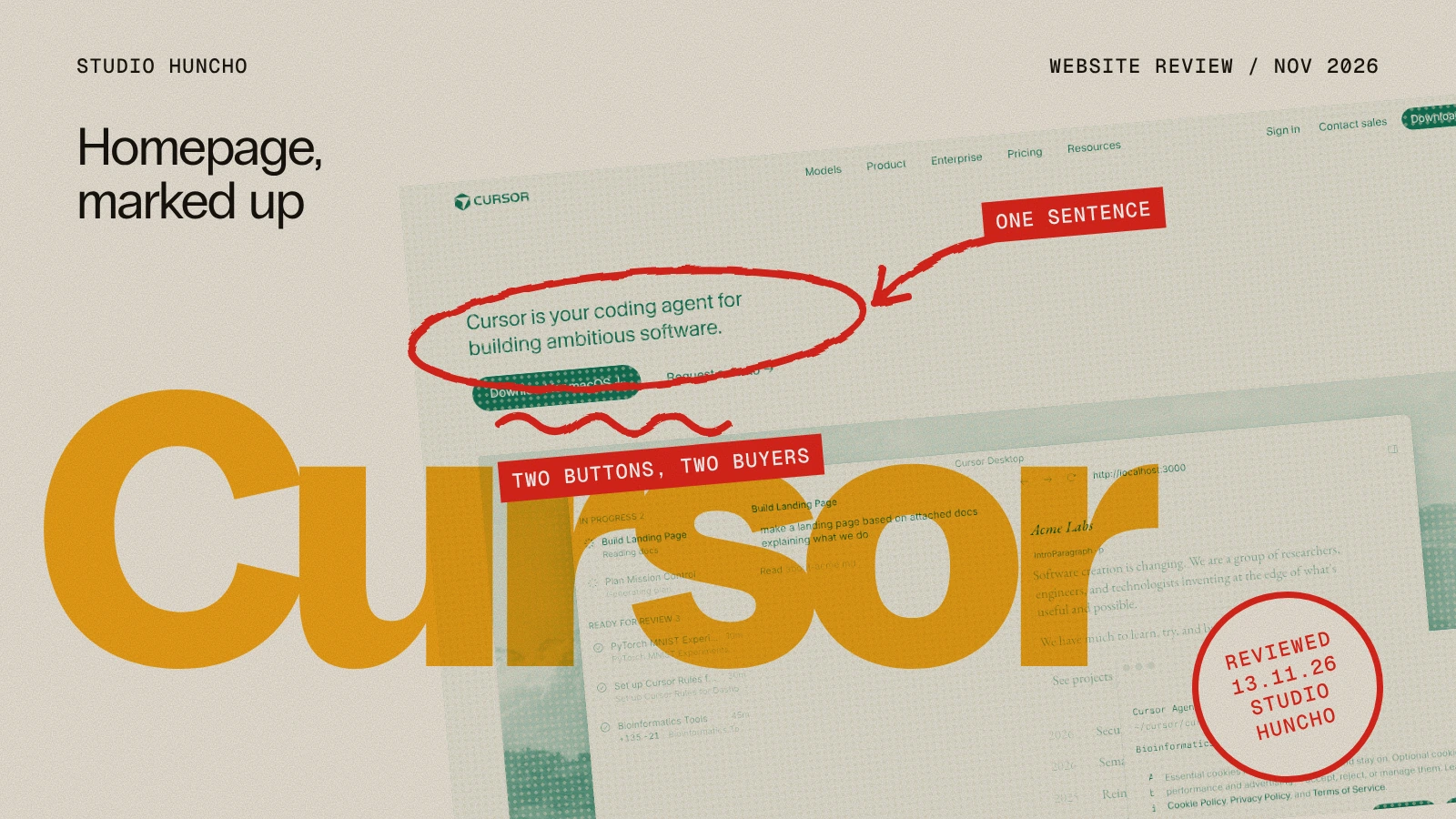
Cursor's homepage opens with one sentence, two buttons and the product. The headline says what it is. "Download for macOS" serves the developer and "Request a demo" serves the company. Under them, a product window shows an agent building a landing page. It is one of the clearest first screens in AI software. It is also heavy: our capture transferred about 15MB.
Cursor's homepage at a glance
- Headline: Cursor is your coding agent for building ambitious software.
- Hero: The product window, set on a painted landscape, with no subheadline
- Main actions: "Download for macOS" and "Request a demo"
- Proof: A "Trusted every day by teams" section directly after the hero
- Length: About 9 screens on desktop and 12 on mobile
- Weight: About 15MB transferred after a full scroll
- Built with: Next.js, with JSON-LD and an llms.txt file published

What works
- One sentence, no subheadline. "Cursor is your coding agent for building ambitious software." Product name, category and ambition in ten words. Nothing else competes with it.
- Two buttons for two buyers. Most companies pick one. In our study of 50 funded AI startup homepages, 52% led with a demo and the rest mostly with self-serve. Cursor sells both ways and says so on the first screen: a download for the individual, a demo for the team.
- The hero shows the product doing work. A task list, a prompt and a page being built. A visitor understands the product before reading a feature.
- Proof comes second. The section after the hero is headed "Trusted every day by teams that build world-class software". In the same study, 82% of homepages placed customer logos in the first two sections.
- A look of its own. A warm off-white page, a custom typeface and painted landscapes behind the interface. In a category full of dark gradients, it is recognisable in a second.
- Mobile changes the action. On a phone the buttons become a single "Get started", since nobody downloads a desktop app from one.
What we would question
- The weight. About 15MB after a full scroll, most of it on first load. The median in our study of 50 funded AI startup homepages was 5.4MB. On a fast connection nobody notices. On a slow one the hero arrives late.
- The mobile page is longer than the desktop one. About 12 screens against 9. Stacked product demos take a lot of scrolling on a phone.
- The cookie banner covers the demo. In our capture, the consent box sat over the lower part of the hero on both desktop and mobile.
What a startup can borrow
- Write the headline as one plain sentence that starts with your name.
- If you sell to individuals and to companies, give each their own button.
- Show the product in the middle of a task, not an empty screen.
- Put customer proof straight after the hero.
- Change the main action on mobile if the desktop one makes no sense there.
- Watch the page weight. A beautiful hero that loads slowly is a slow hero.
How we reviewed it
We loaded the homepage on 13 November 2026 at desktop size (1440 by 900) and mobile size (390 by 844) with an empty cache, scrolled the full page and recorded the headline, buttons, sections, page length and data transferred. Weights are from a single load and will vary by location and device. Cursor is not a client of Studio Huncho, and this review is our own opinion of a public page.
Related reading: Book a Demo or Start Free?, AI website examples, Website Review: Linear's Homepage
FAQ
What is Cursor's website built with?
The homepage runs on Next.js, based on what the page loads.
What typeface does Cursor's website use?
A custom family that the page loads under the name CursorGothic.
What can an AI startup learn from Cursor's homepage?
Say what the product is in one sentence, show it working, and offer a clear next step for each kind of buyer.
Want a homepage that explains your product this fast? Tell us about it and we reply with a scoping doc and timeline within 48 hours.
Work with Studio Huncho
We're a creative studio for AI and SaaS startups. We design brands, websites, products and launch videos, and build sites in Webflow and Framer.