5 min readMINUTES
SaaS Pricing Page Examples: 10 Worth Copying (2026)

The short answer
The best SaaS pricing pages make one choice obvious: a few plans, one highlighted, what each plan adds, and a toggle or slider that shows what you will actually pay. The ten below, from Linear and Figma to Stripe and Resend, cover per-seat, per-workspace, usage-based and volume pricing.
How did we pick them?
We design SaaS websites, and the pricing page is one of the pages buyers visit most before they talk to sales. For this list we opened ten pricing pages on 25 November 2026, took a screenshot and wrote down only what we could see. Prices change often, so check each page before you quote it. None of these companies is a client. The list is not ranked.
What makes a good SaaS pricing page?
- Three or four plans. Enough to fit different buyers, few enough to compare.
- One highlighted plan. A "Most popular" or "Best value" tag gives people a default.
- Differences, not lists. Show what each plan adds over the one before.
- Real numbers. A toggle, a team size field or a slider that shows the actual cost.
- A path to sales. An Enterprise column with "Contact sales" for bigger buyers.
What are the best SaaS pricing page examples?
1. Linear
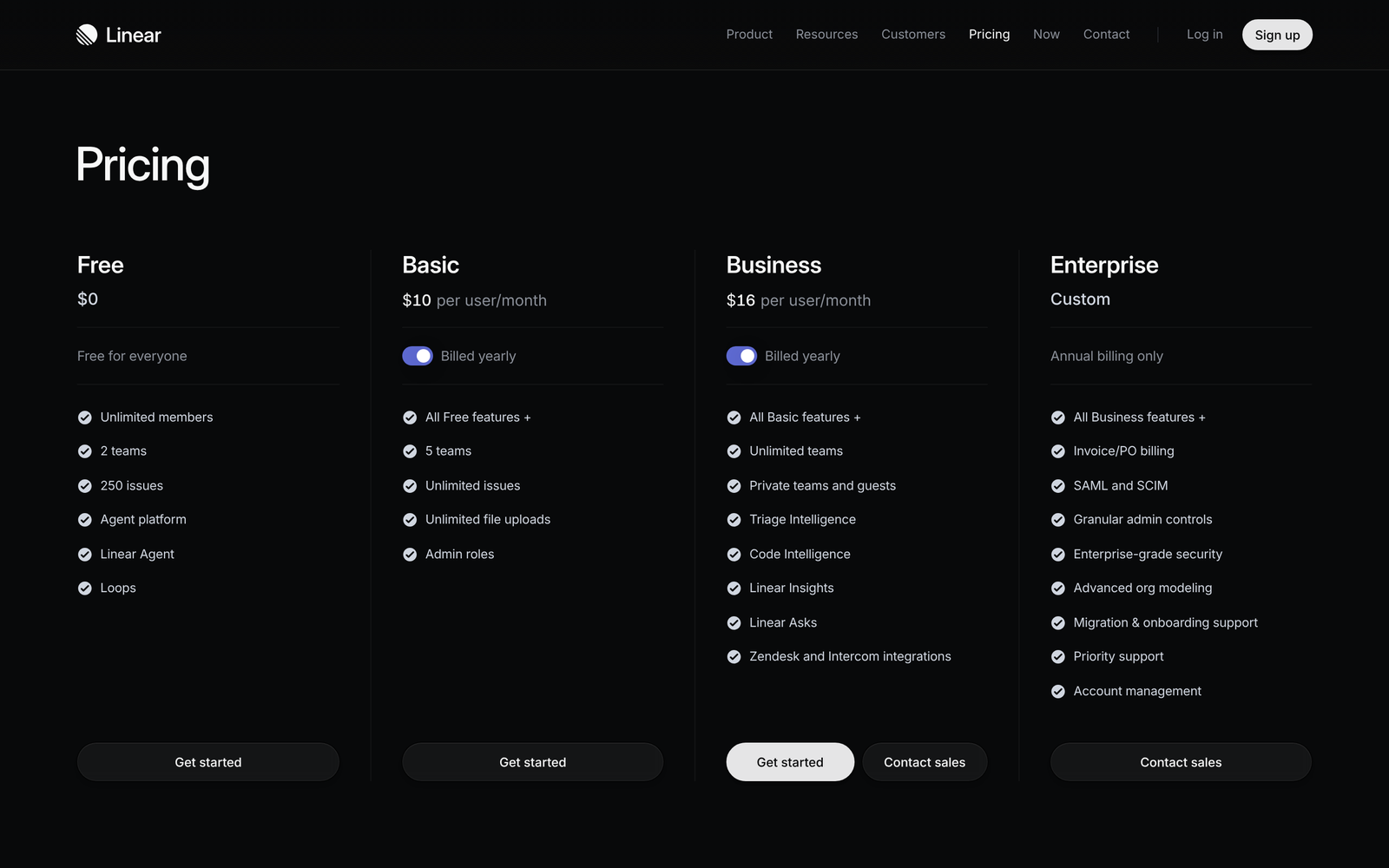
Linear shows four plans on one dark row: Free, Basic at $10 and Business at $16 per user per month billed yearly, and Enterprise. Each plan lists only what it adds ("All Basic features +"), so the differences are easy to scan, and a line below says it is trusted by more than 50,000 companies.
Worth copying: List what each plan adds, not everything it includes.
2. Attio
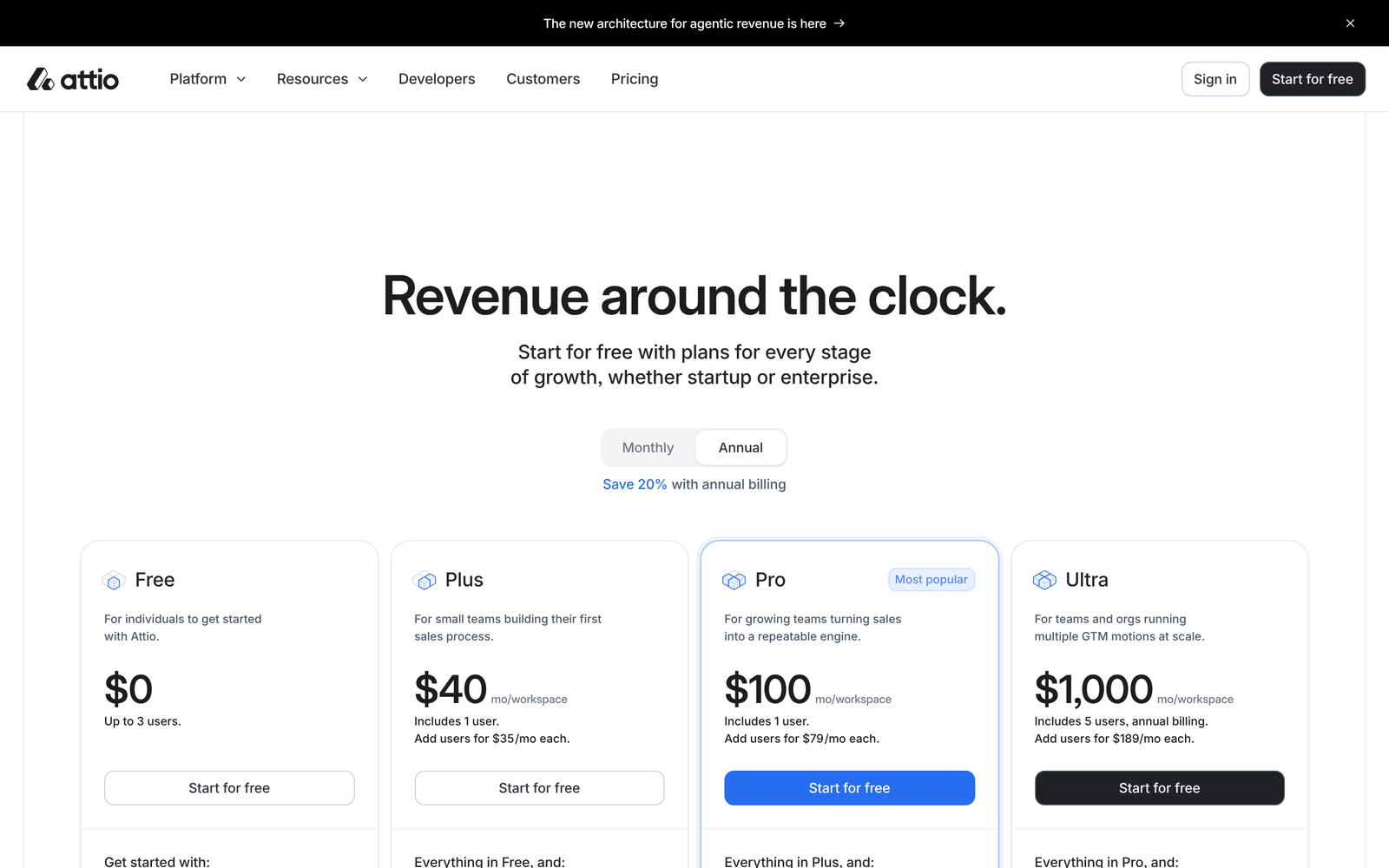
Attio prices per workspace, not just per seat: Plus includes one user and adds more for a set monthly fee. A monthly and annual toggle shows the saving ("Save 20% with annual billing"), and Pro is tagged "Most popular".
Worth copying: Show the annual saving on the toggle itself, and mark the plan most teams pick.
3. Figma
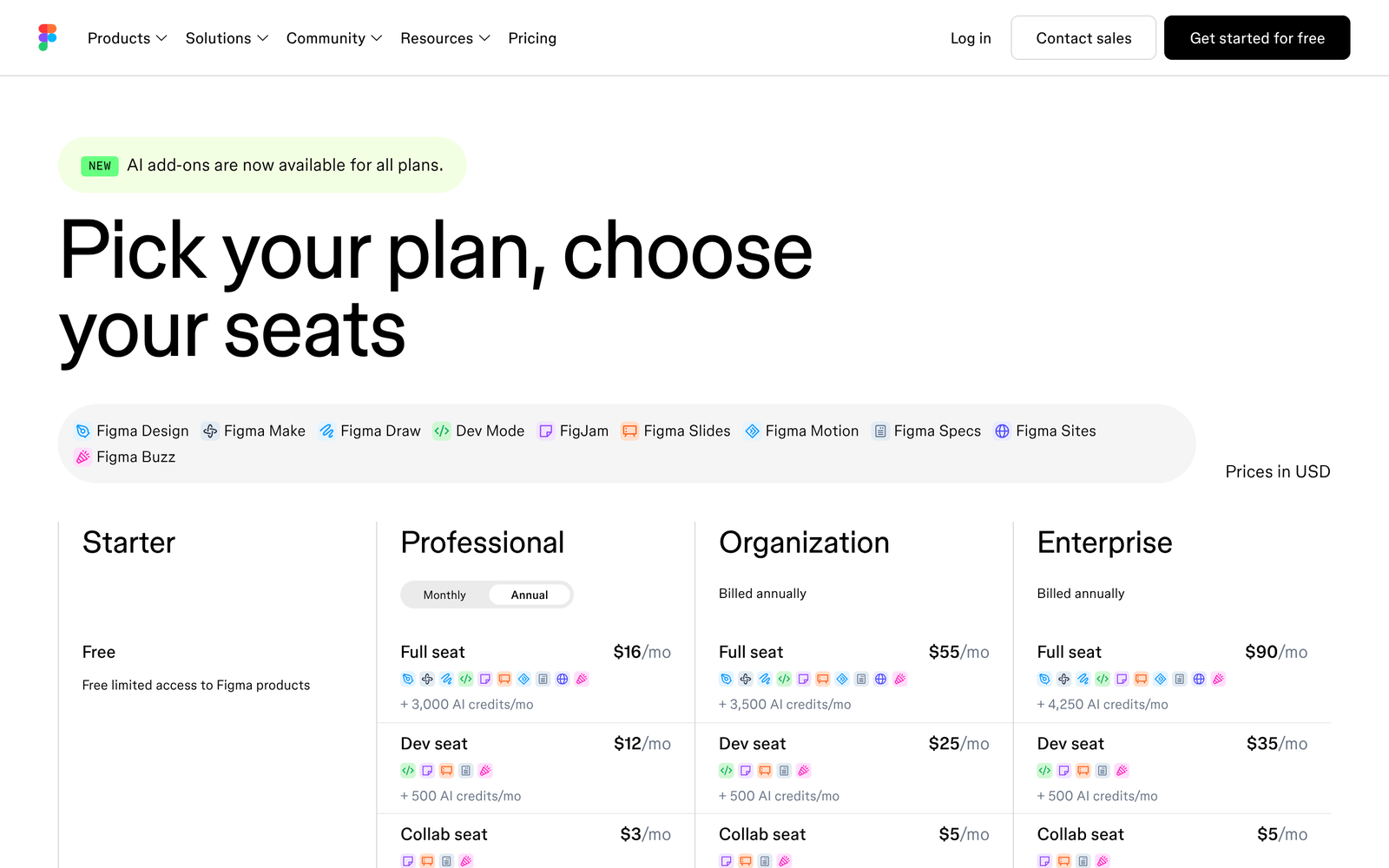
Figma's "Pick your plan, choose your seats" prices each plan by seat type: a full seat, a dev seat and a collab seat, each with its own monthly AI credits. The products covered (Figma Design, Make, FigJam, Slides and more) are listed above the plans.
Worth copying: If different people use the product differently, price by role.
4. Slack
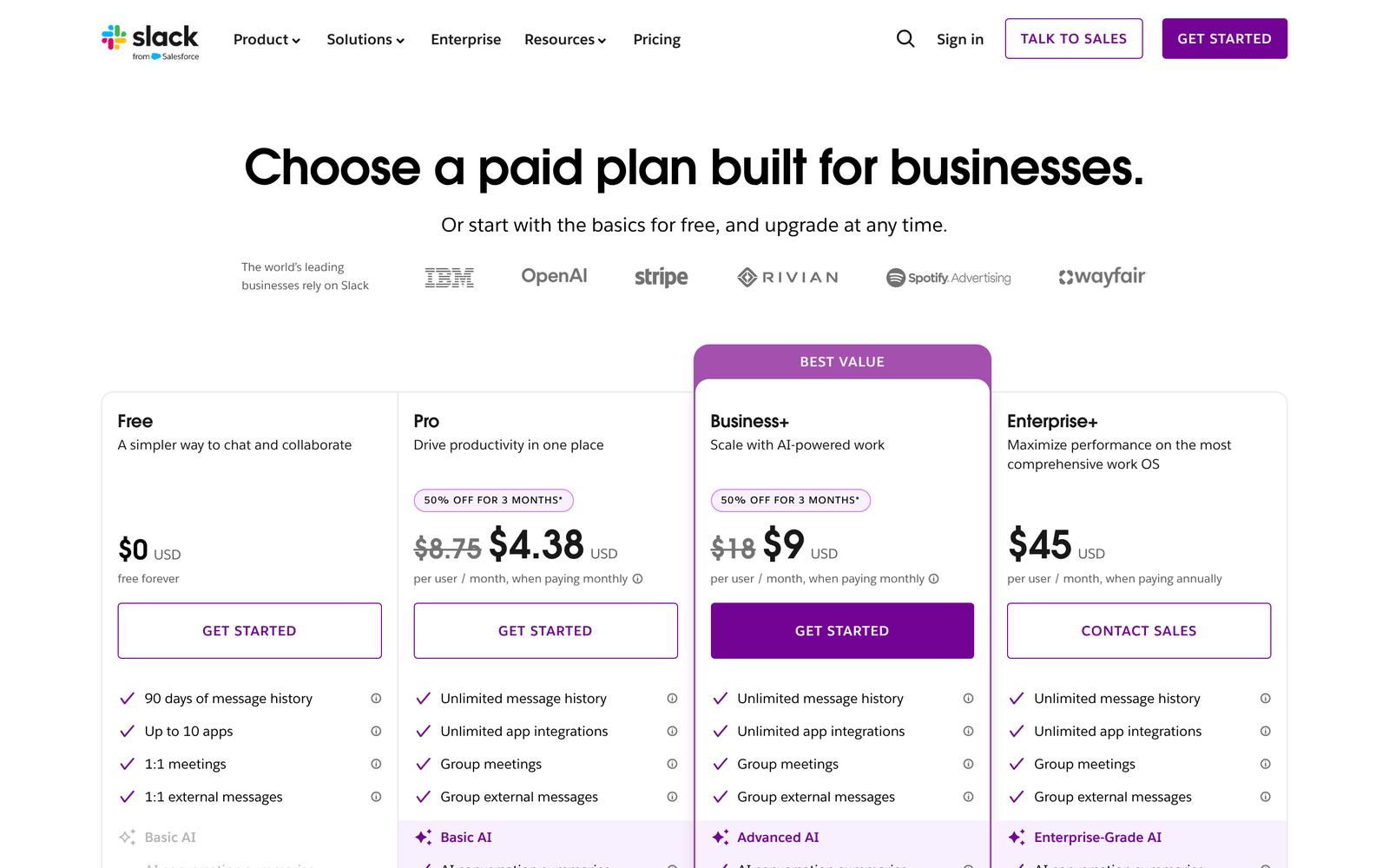
Slack leads with "Choose a paid plan built for businesses", shows customer logos, then four plans with the middle paid plan highlighted as "Best value" and an introductory discount shown as a struck-through price.
Worth copying: Highlight one plan and put proof above the table.
5. Stripe
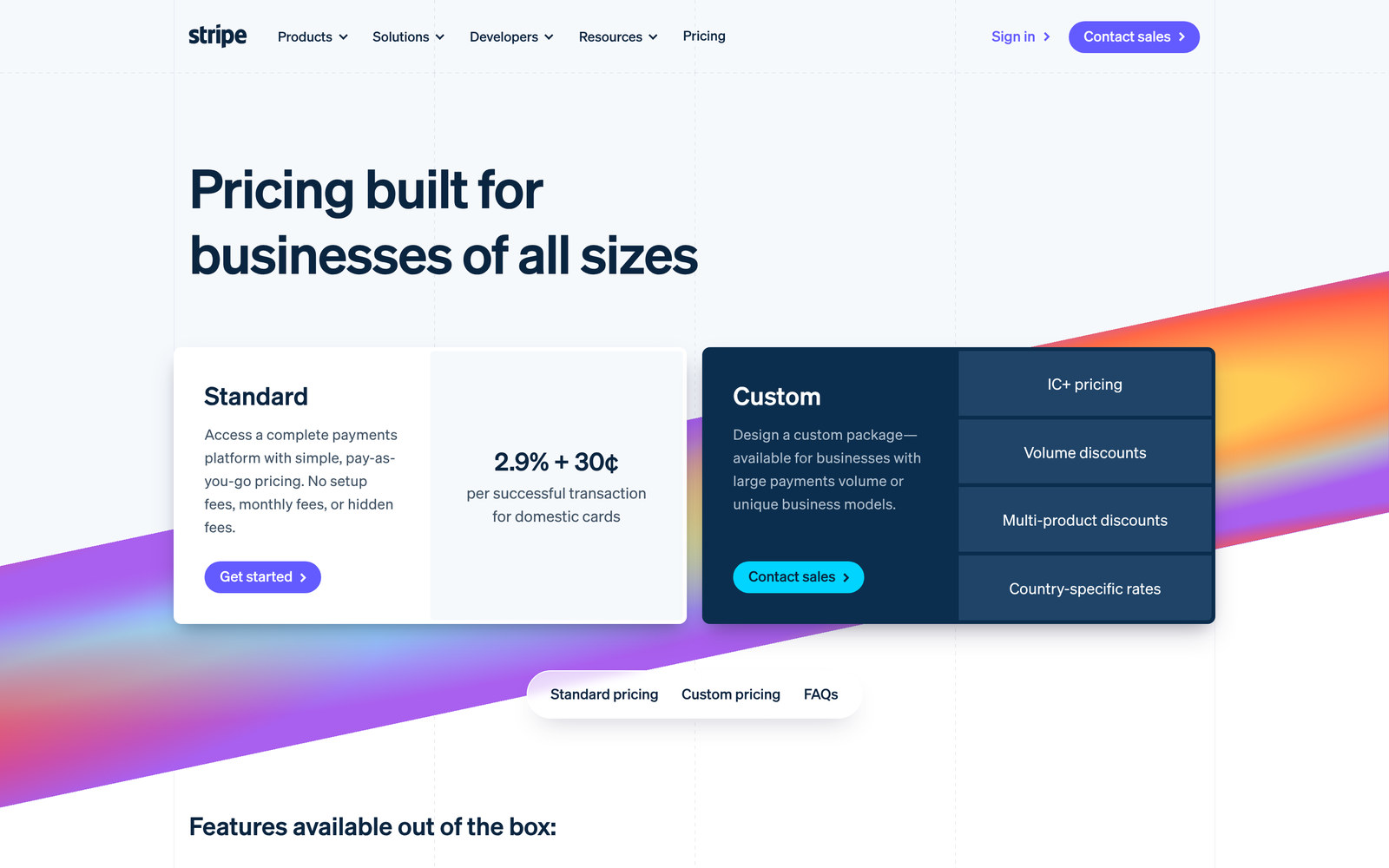
Stripe's "Pricing built for businesses of all sizes" puts one number at the centre: 2.9% + 30¢ per successful transaction for domestic cards on Standard. Next to it, a Custom card lists IC+ pricing, volume and multi-product discounts and country-specific rates.
Worth copying: For usage-based pricing, lead with the one rate people need to know.
6. Vercel
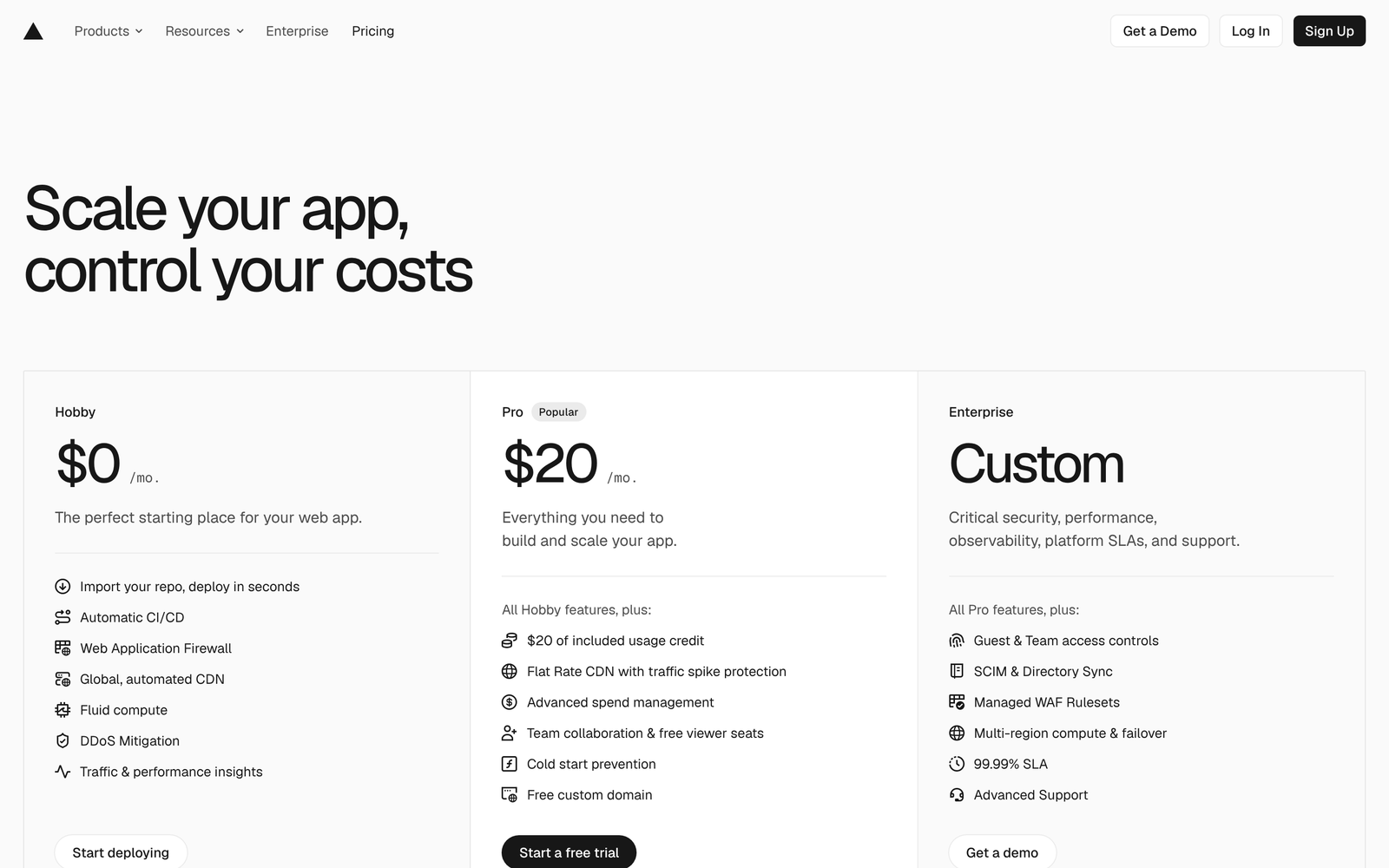
Vercel keeps it to three columns, Hobby at $0, Pro at $20 a month with $20 of included usage credit, and Enterprise, under the headline "Scale your app, control your costs". Pro is marked "Popular".
Worth copying: Three plans, one headline about cost control and the included usage spelled out.
7. Supabase
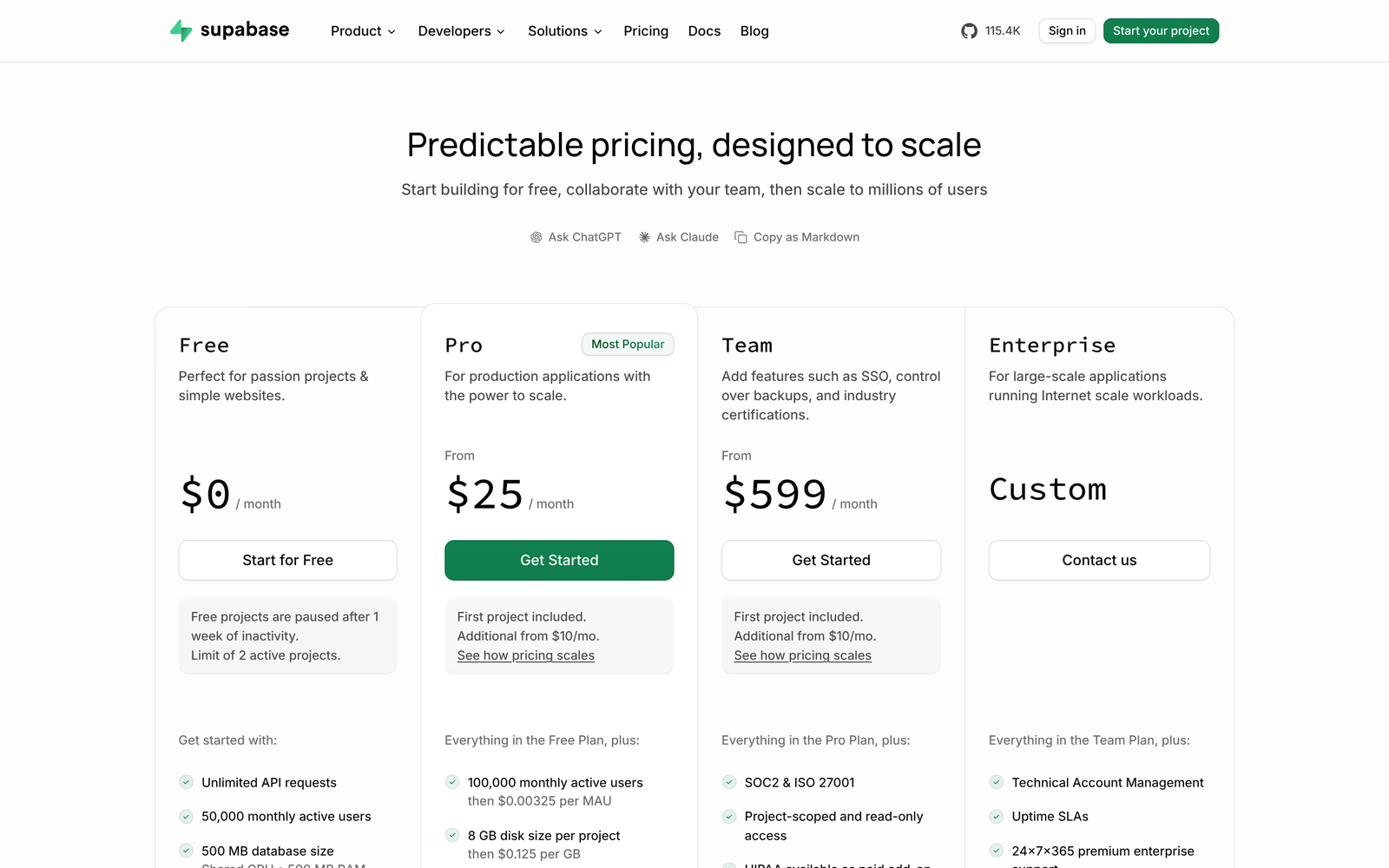
Supabase's "Predictable pricing, designed to scale" spells out limits in plain numbers, such as monthly active users, database size and egress, and states the catch on the free plan: projects pause after a week of inactivity. It also offers "Ask ChatGPT", "Ask Claude" and "Copy as Markdown" buttons.
Worth copying: Be upfront about limits, and make pricing easy to paste into an AI tool.
8. Loom
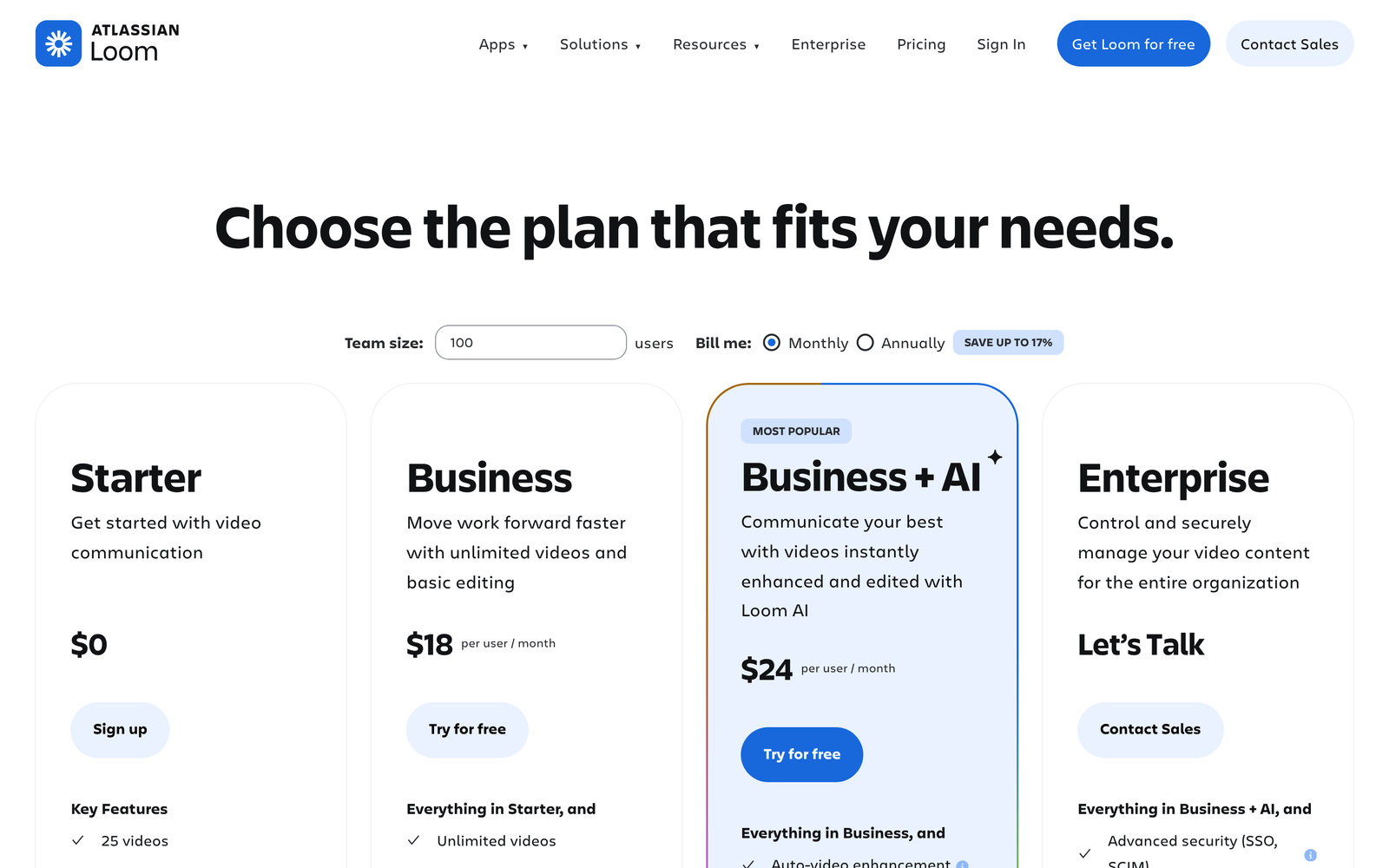
Loom lets you type your team size and switch between monthly and annual billing ("Save up to 17%") before you compare Starter, Business, Business + AI and Enterprise. Business + AI is the plan marked "Most popular".
Worth copying: Let buyers enter their team size so the numbers mean something.
9. Resend
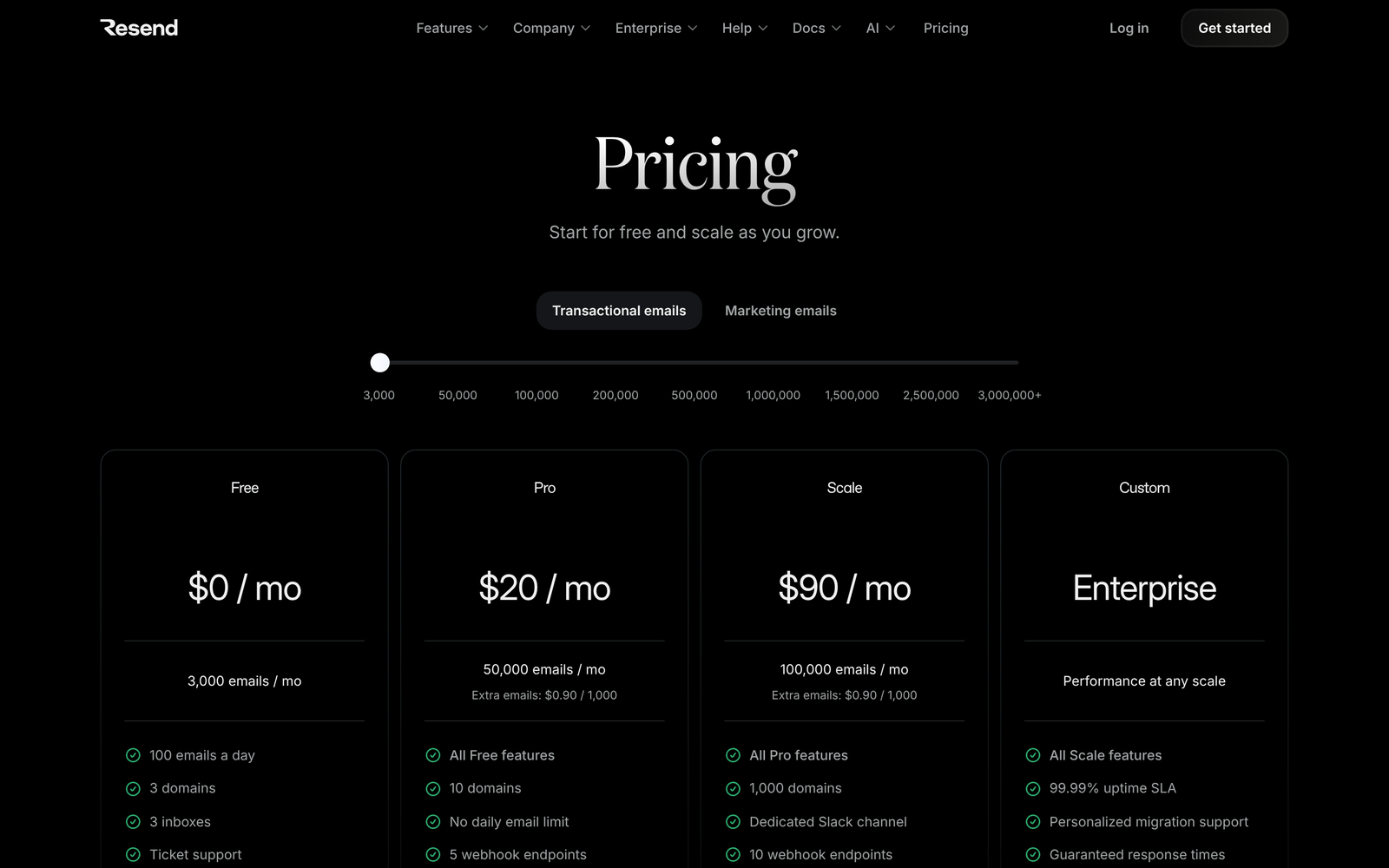
Resend puts a slider above its plans, from 3,000 to 3,000,000+ emails a month, with tabs for transactional and marketing email. Each plan states its monthly volume and the price of extra emails.
Worth copying: For volume pricing, a slider answers "what will I pay?" faster than a table.
10. Raycast
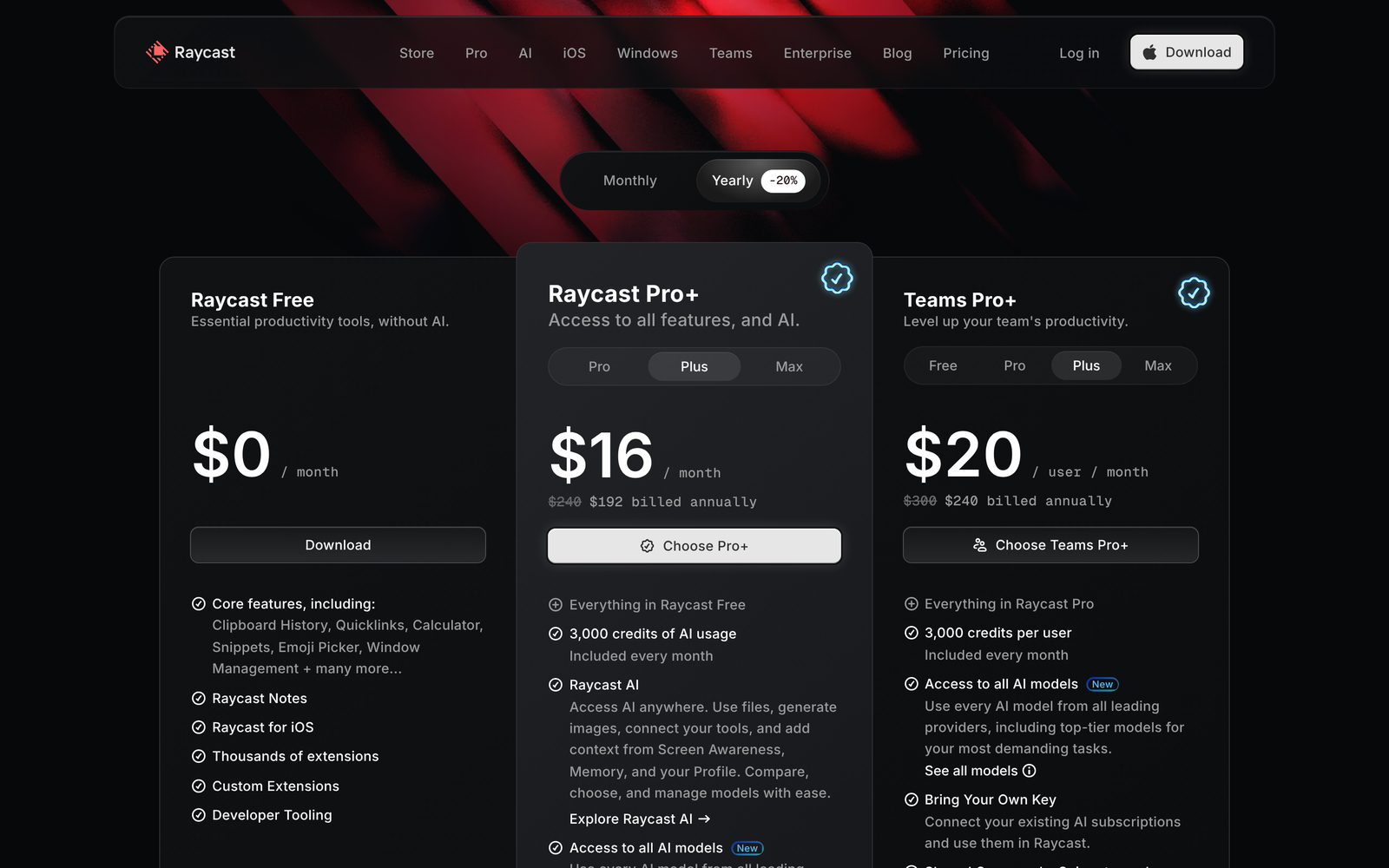
Raycast separates a free plan, "Essential productivity tools, without AI", from Pro+ with AI, and uses small Pro, Plus and Max tabs inside the paid card instead of adding more columns. The yearly toggle shows "-20%".
Worth copying: Nest tiers inside a card to keep the page to a few columns.
How do you design a SaaS pricing page?
- Pick the value metric. Seats, workspaces, usage or volume: whatever grows with the customer's value.
- Name plans for who they are for. Short descriptions like "for small teams" help people self-select.
- Put the comparison table below. Plans first, the full feature grid after.
- Answer objections. FAQs on billing, limits, trials and security.
We go deeper in what makes a good SaaS pricing page.
Related reading
- What makes a good SaaS pricing page?
- Best SaaS websites
- SaaS website design best practices
- SaaS website design
FAQ
What should a SaaS pricing page include?
Three or four plans, a highlighted default, what each plan adds, monthly and annual prices, an Enterprise or contact sales option and FAQs on billing and limits.
How many pricing tiers should a SaaS have?
Most of the examples here show three or four, usually a free or starter plan, one or two paid plans and Enterprise.
Should you show prices on a SaaS website?
For self-serve plans, yes. Many companies still use "Contact sales" for Enterprise, as Linear, Vercel and Slack do.
What is a value metric?
The unit you charge for, such as seats, workspaces, transactions or emails. Good value metrics grow as the customer gets more value.
Who designs SaaS pricing pages?
The team or studio that designs the website, working with whoever owns pricing. See our SaaS website design service.
Sources
- Linear pricinglinear.app
- Attio pricingattio.com
- Figma pricingfigma.com
- Slack pricingslack.com
- Stripe pricingstripe.com
- Vercel pricingvercel.com
- Supabase pricingsupabase.com
- Loom pricingloom.com
- Resend pricingresend.com
- Raycast pricingraycast.com



Need a pricing page that makes the choice easy? Talk to us, or see our SaaS website design service.
Work with Studio Huncho
We're a creative studio for AI and SaaS startups. We design brands, websites, products and launch videos, and build sites in Webflow and Framer.